GTFS-Realtime Service Alerts Guidance
Introduction
GTFS-Realtime Service Alerts allow producers to provide updates whenever there is disruption on the network. Service Alerts can be used to express multiple types of service disruptions, incidents and information, including:
- Closed routes and route segments
- Closed stops and stations
- Detours
- Severe delays in service
- Accessibility issues (eg: elevator not working)
- General announcements about service
Service Alerts can be used by multiple consumers:
- Trip planner apps (e.g. Google Maps, Transit, Apple Maps, Citymapper, Moovit)
- Transit information websites
- Digital signage (bus stops, displays, etc)
- Information channels (email, SMS, etc)
Service Alerts are used to communicate to riders that real-time incidents and disruptions are happening in a transit system either currently or in the future. Trip planners can also choose to not suggest the disrupted services based on the Alert.
The screenshots below show possible trip planner behaviours based on GTFS-RT Service Alerts. In practice, alerts are used by trip planners to:
- Inform riders about service changes and disruptions
- Influence journey suggestions to remove irrelevant and disrupted routes and stops
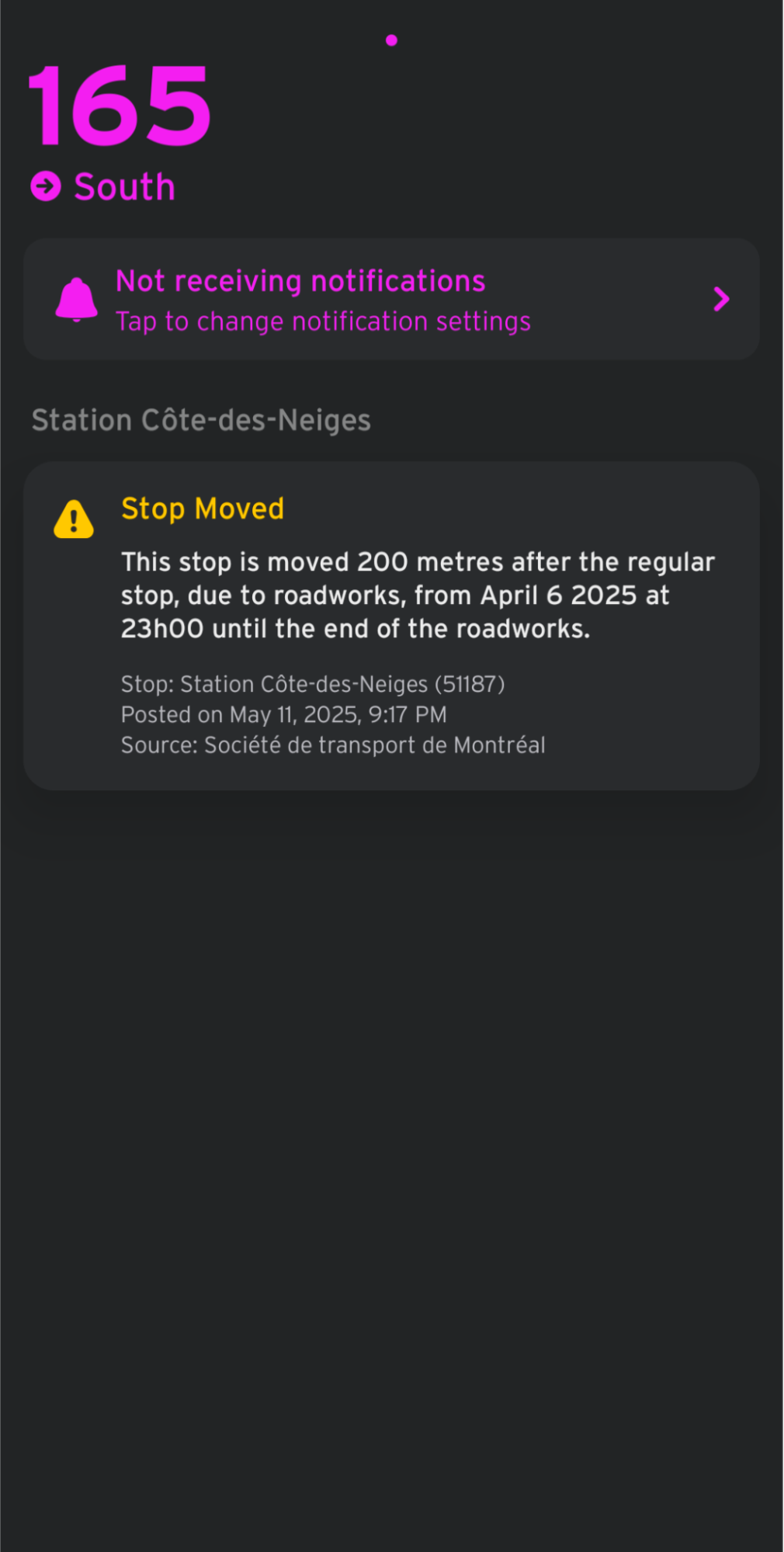
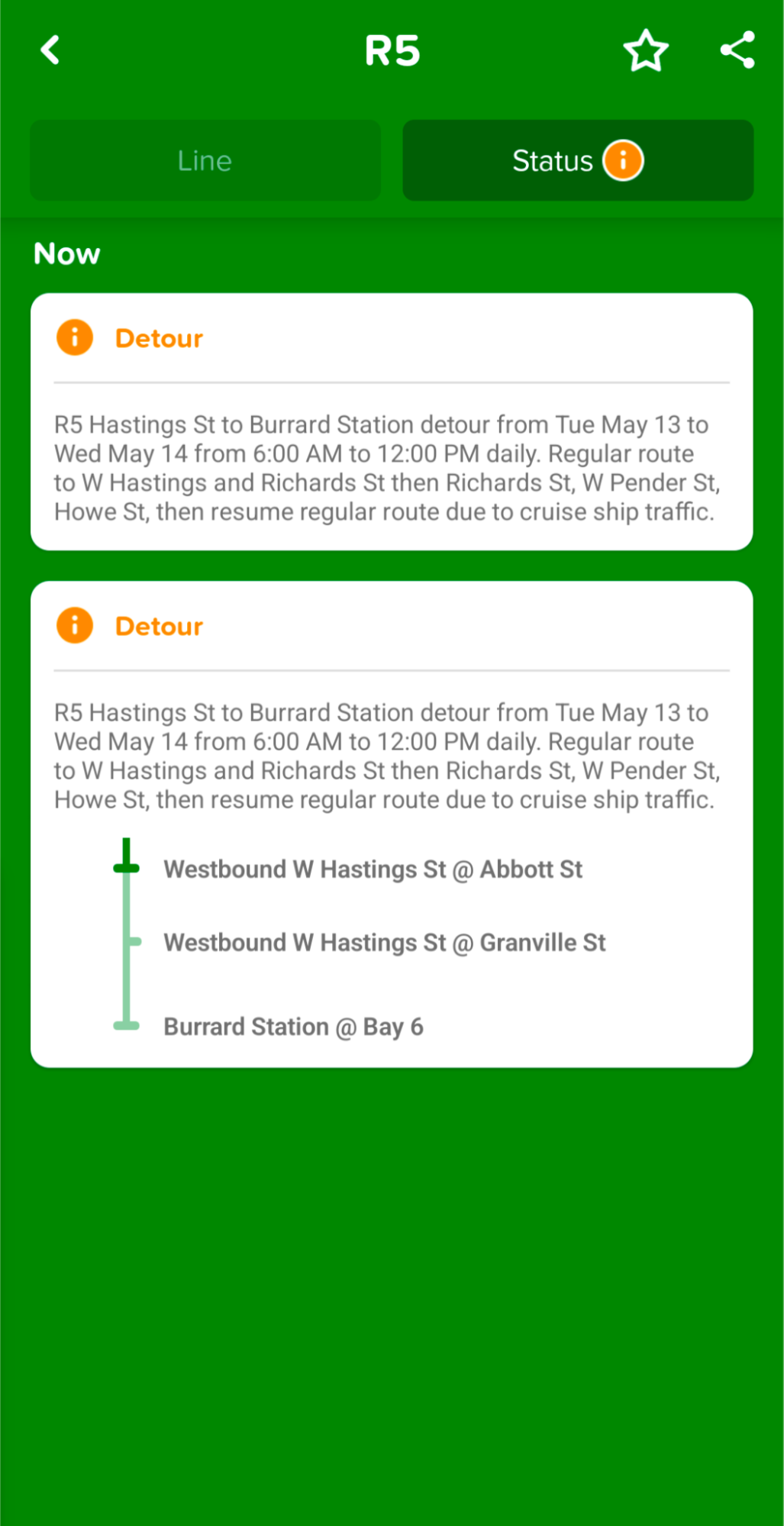
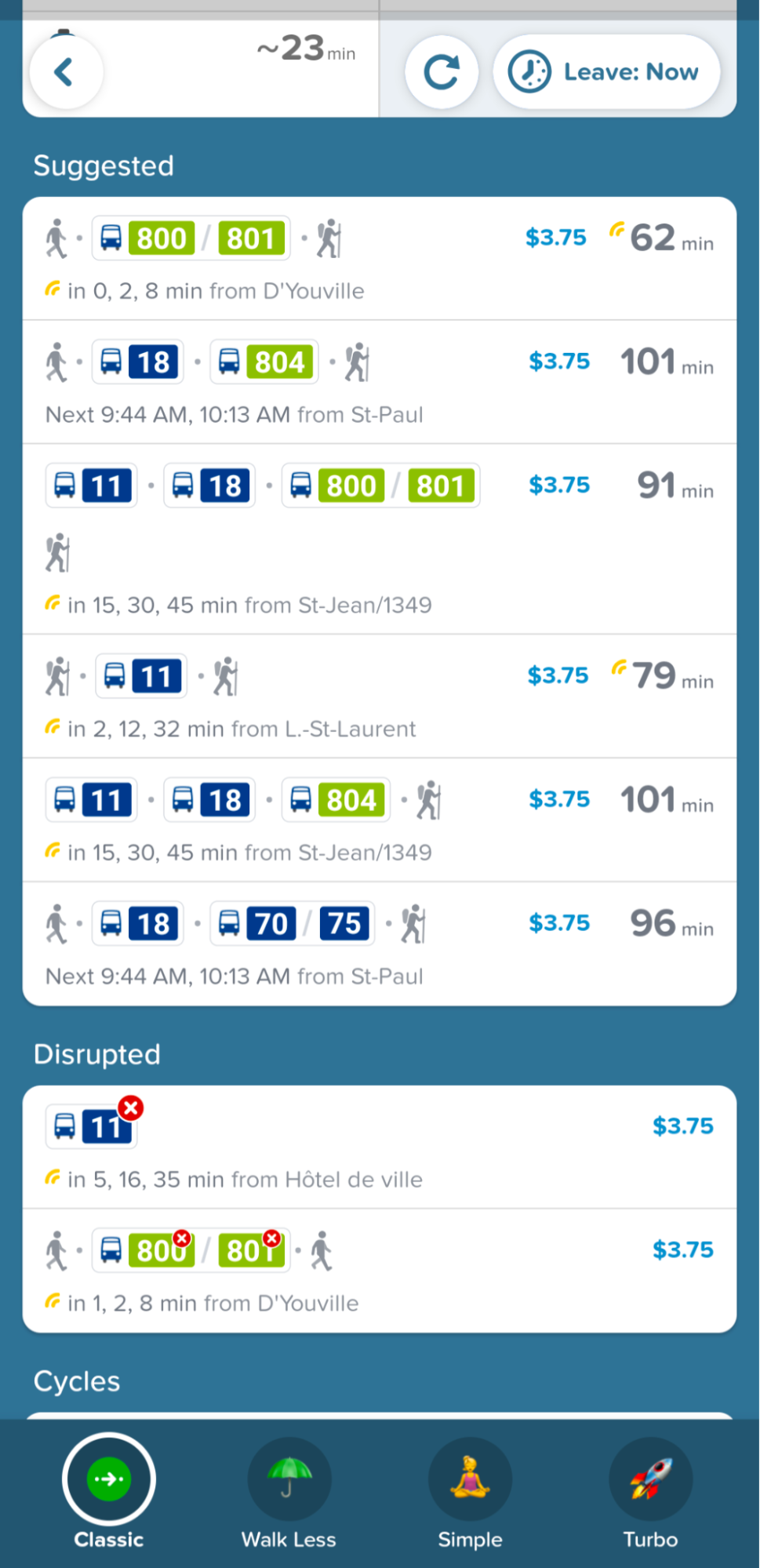
Screenshots from TransitApp (left) and Citymapper (middle and right), employing Service Alerts.
For more information, please refer to:
To validate your GTFS-Realtime Service Alerts feed, please refer to the GTFS Realtime Validator.
Chapters
This document details some recommendations on how to use Service Alerts to the best of their abilities to provide alerts.
- In Guidelines, we will explore the potential good and bad uses of certain fields.
- In Real-life Use Cases, we will attach each possible use case to its appropriate Service Alert setup.
- In Real-world Examples, we will go through some real life examples of Service Alerts to evaluate them and suggest improvements to them.